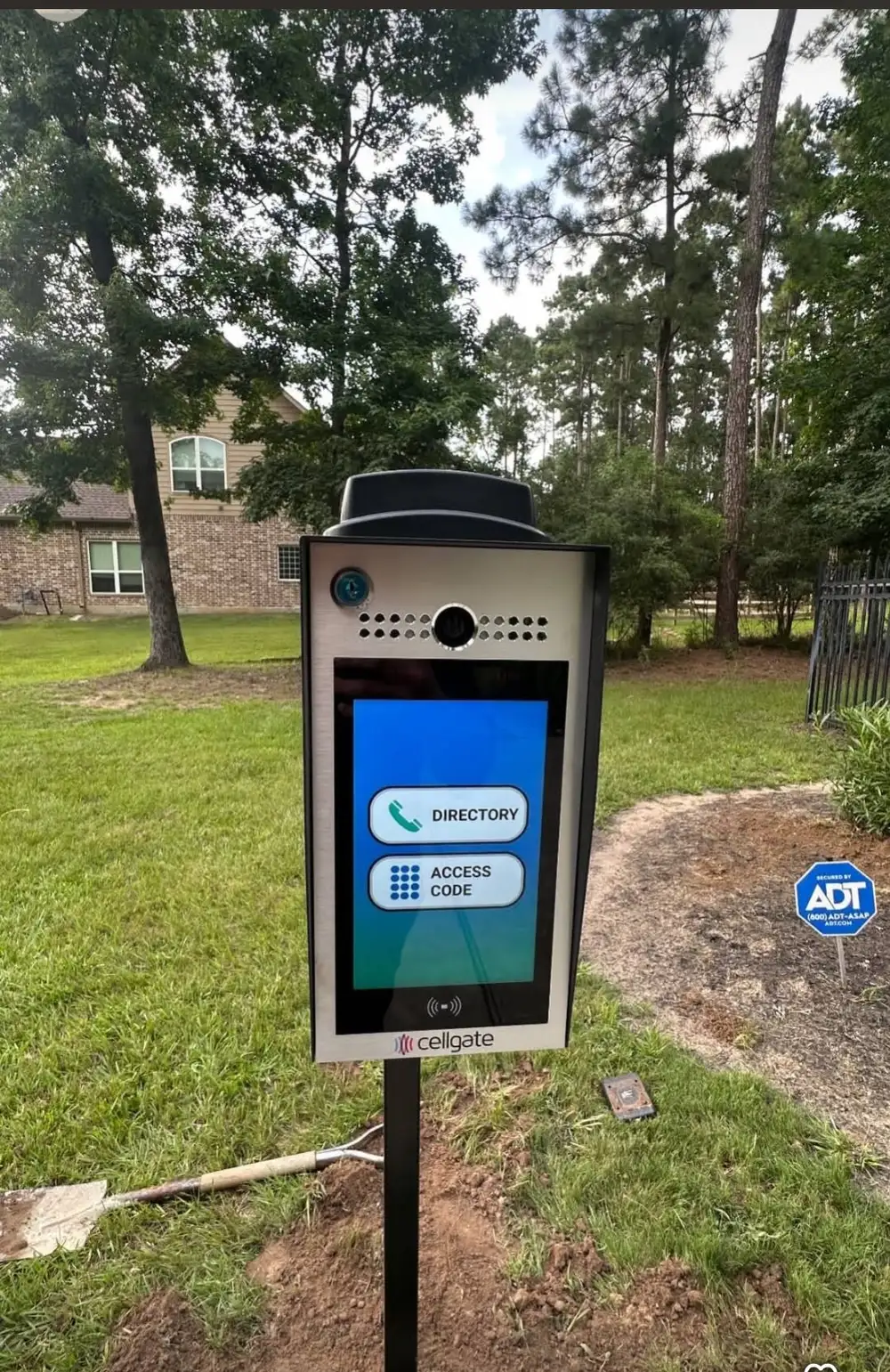
The gate is the easy part. How people get through it is where the real decisions live — and where the difference between a $250 keypad and a $2,500 cloud system either pays for itself daily or sits unused. After hundreds of Houston installs, here is who each option is actually for.
Level 1: Remotes — $40-$120 per remote
The clicker on your visor. Every operator ships with remote capability, and for a household where the same two cars come and go, remotes alone work fine. The limits show up fast though: guests cannot get in without you, remotes get lost, and anyone who buys a house with an existing gate inherits whoever still has a programmed remote floating around. When we take over service on a resold home, wiping the remote memory is step one.
Level 2: Wireless Keypad — $250-$450 installed
The workhorse. A weatherproof keypad at the gate line means family, housekeepers, and trusted guests get a code instead of hardware. Most units store multiple codes, so the landscaper gets his own — and you delete it when you change crews. For probably 60% of Houston residential installs, a keypad plus remotes is the complete, correct answer. The honest limitation: codes get shared. Your teenager gives it to a friend, that friend tells someone, and two years later the code is community knowledge. Change codes yearly.
Level 3: myQ Smartphone Control — often free with LiftMaster
LiftMaster's myQ app turns your phone into a remote and adds the feature people end up loving most: notifications. The gate opened at 2:47 PM — that is the kids home from school. It is still open at 11 PM — that is worth checking. You can open the gate for a delivery from your office. For LiftMaster operators, myQ costs little or nothing to enable, which makes it the best value-add in the entire access stack. Its limit: it controls the gate, but it cannot see or talk to whoever is standing at it.
Level 4: CellGate Cloud Access — $1,200-$2,500 installed + subscription
This is the system in the photo above, and it changes the relationship you have with your gate. A visitor pulls up, taps your name, and your phone rings with live video — from anywhere. You see the FedEx driver, talk to him, and buzz him in from a conference room downtown. You issue the pool contractor a code that works Tuesdays 8-to-4 and expires when the job ends. Every entry is logged with a timestamp.
Who actually needs it: frequent travelers, estates with steady vendor traffic, short-term rental owners managing guest turnover, and anyone burned before by shared codes. Who doesn't: a household where the same three people use the gate and guests are rare — save the money, get the keypad. CellGate runs on cellular, so it needs a monthly plan ($25-$40 range) — that is the recurring cost to weigh.
Level 5: Telephone Entry — $1,500-$2,500 installed
The DoorKing-style directory box. For a single residence, CellGate has largely made these obsolete — but for small multi-tenant properties, offices, and gated communities, a directory system where each unit gets a listing is still the right architecture. We install these on commercial properties weekly.
What We Recommend Most Often
- Typical family home: remotes + keypad + myQ if it is a LiftMaster — total access cost under $500
- Estate or frequent traveler: CellGate + keypad backup — see and manage everything remotely
- Airbnb/VRBO: CellGate — auto-expiring guest codes end the code-sharing problem
- Commercial/multi-tenant: DoorKing telephone entry + keypads or fobs per tenant
Every option above can be added to an existing gate if your operator has standard control inputs — you do not need a new gate to upgrade how you get through it. We add CellGate and keypads to existing systems constantly across Houston. One service visit, and your fifteen-year-old gate answers your phone.
Most access upgrades install in a single visit
We call back within 30 minutes. Same-day service available across Houston, The Woodlands, Katy, Spring, and surrounding areas.